



Teleprompter for Church Services Online: What Works
A teleprompter for church services online solves the single biggest problem pastors face when streaming: looking at a screen instead of into the camera. Your congregation watches you glance down at notes, scan a laptop, or stare at a monitor — and it kills the connection. A beam splitter teleprompter puts your sermon text directly in front of the lens so you can read while making eye contact with every viewer at home. In this guide I'll cover exactly which setups work for online church services, what they cost, and how to avoid the mistakes I see churches make every week.

Churches and religious leaders make up about 6% of our customer base — that's roughly 3,000 orders to places of worship worldwide. I've personally walked dozens of pastors through their first streaming setup, troubleshot mid-service glare issues over video calls, and tested every configuration from a single webcam desk setup to a full two-camera sanctuary rig. This guide comes from those conversations, not from guesswork.

Why eye contact matters more for online services than in person
In a physical sanctuary, your congregation can see your whole body, feel the energy of the room, and follow your gestures. Online, they get a rectangle on a screen. Eye contact becomes the primary trust signal.
Research backs this up. A peer-reviewed study in Frontiers in Psychology found that the inability to make eye contact during video conversations disrupts the natural sense of connection between people. And according to a review published on ResearchGate, "the lack of eye contact was associated with reduced communication efficiency, trust, and impression-formation." For a pastor delivering a sermon, reduced trust is the last thing you want.
The numbers on online church viewership are massive now. According to Pew Research Center, about 27% of U.S. adults regularly watch religious services online or on TV. That's tens of millions of people judging your delivery through a screen. A teleprompter is one of the simplest ways to hold their attention.
Three teleprompter setups that work for online church services
Not every church streams the same way. Some pastors sit at a desk with a webcam. Others stand at a pulpit with a DSLR. And some need a full stage setup with dual glass panels. Here's what actually fits each scenario.
1. Desk or office streaming with a webcam
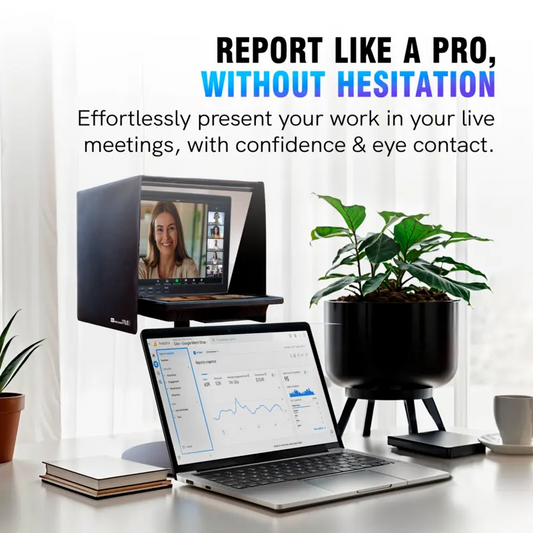
This is the most common setup I see for midweek Bible studies, online prayer sessions, and smaller congregations that stream from a pastor's office. The EyeMeeting Prompter is built for exactly this. It's a beam splitter teleprompter with a built-in 10.1-inch inverted monitor that connects to your computer via HDMI as a second screen.
Your webcam or camera sits behind the glass. You read your sermon notes reflected on the glass while the camera captures you looking straight ahead. No more glancing down at a laptop screen. Your online viewers see direct eye contact the entire time.

2. Sanctuary recording with a DSLR or mirrorless camera
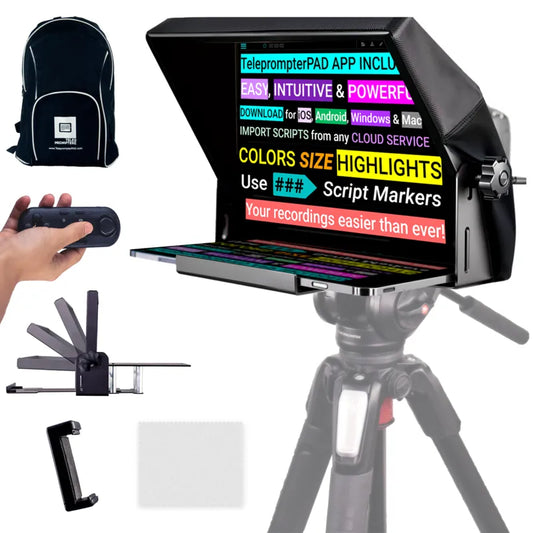
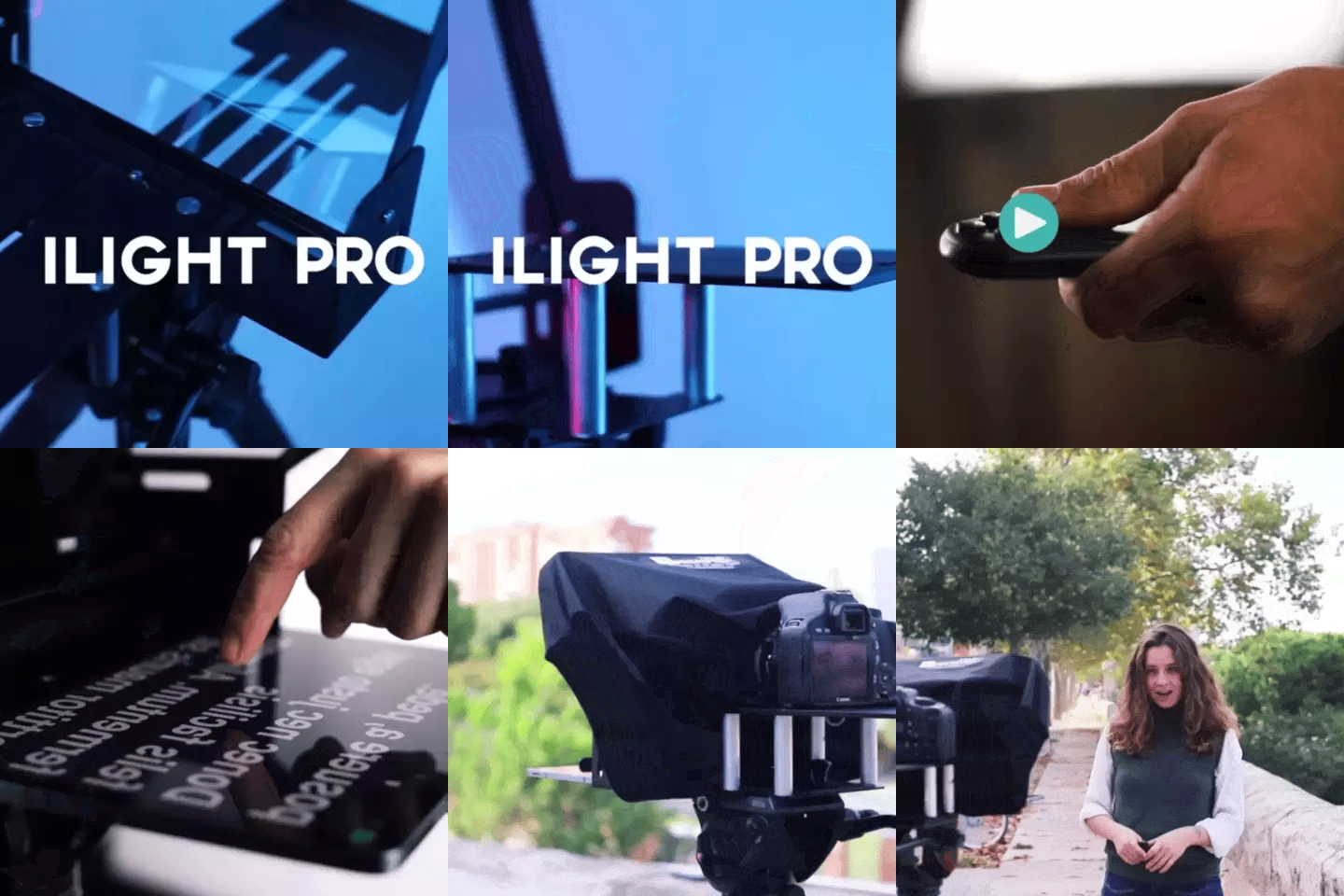
If your church records sermons with a dedicated camera — even a basic Canon or Sony mirrorless — you need a traditional beam splitter teleprompter. The iLight PRO 12-inch mounts on a tripod, holds an iPad or tablet displaying your script, and reflects the text onto glass in front of the camera lens.
The camera shoots right through the glass. Viewers see a pastor looking straight into the lens. You see your sermon text. It's the same principle broadcast news has used for decades, just sized and priced for a church budget — €159 instead of thousands.
3. Stage setup with dual presidential panels
Larger churches that stream their in-person services sometimes need presidential-style teleprompters — the transparent glass panels you see flanking politicians at podiums. The XCue Speech Prompter X1 provides dual glass panels with German beam splitter glass. This is a professional-grade option at €1,997, best suited for churches with dedicated AV teams.
Which setup fits your church? A comparison
Here's a quick side-by-side so you can match your streaming situation to the right hardware.
| Feature | EyeMeeting Prompter | iLight PRO 12-inch | XCue X1 |
|---|---|---|---|
| Best for | Desk/office streaming | Tripod + camera recording | Stage with dual panels |
| Price | €229 | €159 | €1,997 |
| Screen | Built-in 10.1-inch monitor (HDMI) | Your iPad or tablet | External monitors (up to 21") |
| Camera type | Webcam or small camera | DSLR, mirrorless, smartphone | N/A (audience-facing) |
| Needs tablet? | No — own screen | Yes | Yes (or monitors) |
| Remote included? | Yes | Yes | No (operator-controlled) |
| Portable? | Desktop unit | Yes — foldable + carry bag | No — fixed stage install |
| Ideal church size | Small / online-only | Small to mid-size | Large / multi-campus |
For most churches streaming online, the EyeMeeting Prompter or iLight PRO 12-inch will cover what you need. The XCue X1 is overkill unless you have a dedicated AV volunteer running things from a booth.
Why the EyeMeeting Prompter is the best fit for online-first churches
I recommend the EyeMeeting Prompter specifically for churches whose primary goal is streaming — not recording for later upload, but going live to YouTube, Facebook, or a church platform. Here's why.
It has its own 10.1-inch screen. You don't need to buy a separate tablet. You connect it to your computer via HDMI, and your computer treats it as a second monitor. Open the free TeleprompterPAD app on your computer, drag the script window to the EyeMeeting's display, and you're reading. The text is already inverted by the hardware — no software mirror mode required.
The beam splitter glass is the same lab-grade German glass we use across the entire product line: 60/40 HD ratio, 4mm thick, anti-ghosting coating. It sits at a precise angle so text reflects clearly while the camera behind it records a clean image.
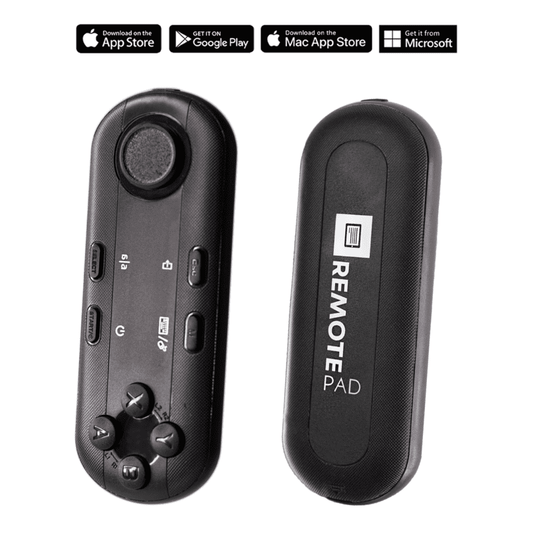
And the Bluetooth remote is included. This matters a lot for pastors. You can pause the scroll, speed it up during a tangent, or jump forward if you decide to skip a section — all without touching anything visible on camera.

Setting up a teleprompter for online church: step by step
I've helped churches go from unboxing to streaming in under 15 minutes. Here's the process.
- Position your camera or webcam. The camera goes behind the beam splitter glass. For the EyeMeeting Prompter, mount your webcam on top of the unit or place a small camera behind it using the monopod stand.
- Connect the HDMI cable. Plug the EyeMeeting Prompter into your computer. It appears as a second display. On Mac, check "Arrangement" in Display settings. On Windows, it's under Display settings → Extend.
- Open the TeleprompterPAD app. Import your sermon script. Set font size to at least 40-50pt for comfortable reading at arm's length. Choose a light font on a dark background for the best reflection on glass.
- Adjust scroll speed. Do one practice run. Most pastors land between 2-4 on the speed slider. The Bluetooth remote lets you fine-tune this in real time.
- Check lighting. No overhead lights above the teleprompter — they cause glare on the glass. Place your key light to the front-side at roughly 45 degrees. A simple ring light works fine for desk setups.
- Test audio. Always use an external microphone. A lavalier or USB condenser mic placed off-screen will sound dramatically better than a built-in laptop mic.
- Go live. Open your streaming software (OBS, Streamyard, etc.), select your camera source, and start your service.
The whole setup takes under 10 minutes once you've done it twice. And because everything stays on your desk, there's nothing to re-assemble each week.
Real-world use cases: how churches actually use this
About 6% of our 50,000+ orders go to churches and religious leaders. Here are the three patterns I see most often.
Solo pastors streaming from home or an office
This is probably 60% of our church orders. A single pastor, a webcam, a desk, and the EyeMeeting Prompter. They stream midweek devotionals, Sunday services for small online congregations, or Bible study sessions. The eye contact difference is immediate — their viewers comment on it within the first week.
Small to mid-size churches recording sermons for upload
Churches with 50-200 members often record the Sunday sermon with a DSLR on a tripod and upload it later. The iLight PRO 12-inch is the popular choice here because it sits on the camera's tripod and holds their existing iPad. About 24% of all our customers are content creators, and church media teams fit that same profile — they want good-looking video without a production crew.
Multi-campus churches with live production
Larger operations sometimes stream a lead pastor to satellite campuses. They'll use the iLight PRO 14-inch with an inverted monitor so a separate operator controls the script from a laptop while the pastor focuses on delivery. This is a two-person setup, and it's the most polished result.
Five mistakes churches make with teleprompters (and how to fix them)
- Writing sermon notes like an essay. Teleprompter scripts need to be conversational. Short sentences. Natural phrasing. If it reads like a term paper, it'll sound like one.
- Font size too small. I see this constantly. If you're squinting, your viewers notice your eyes narrowing. Bump the font up until it feels almost too big.
- Overhead lights creating glare. That ceiling fluorescent in your office? It'll bounce off the glass and wash out your script. Move lighting to the sides, never directly above.
- No external microphone. This isn't a teleprompter issue technically, but it ruins the result. Built-in laptop mics pick up room echo and keyboard noise. A €30 lapel mic changes everything.
- Forgetting mirror mode. If you're using the iLight PRO with a tablet, the TeleprompterPAD app needs mirror mode turned on so text reflects correctly on the glass. The EyeMeeting Prompter handles this automatically with its pre-inverted monitor.
Honest pros and cons
I'd rather you know the trade-offs before buying than discover them mid-service.
| Pros | Cons |
|---|---|
| Built-in 10.1-inch screen — no tablet needed | Desktop only — not portable for events |
| Pre-inverted monitor — zero mirror setup | Requires HDMI port on computer (adapter if USB-C only) |
| German beam splitter glass with anti-ghosting | Not designed for large venue recording (use iLight for that) |
| Bluetooth remote included for scroll control | Remote uses AAA batteries (not rechargeable) |
| Free app with multi-language support | Consumer/prosumer grade — not broadcast equipment |
To be clear: our products are consumer and prosumer grade. If you're a megachurch with a professional broadcast booth and a six-figure AV budget, you're probably looking at Autocue or broadcast-tier hardware. For the other 95% of churches streaming online, this gets the job done at a fraction of the cost.
What about the foot pedal for hands-free control?
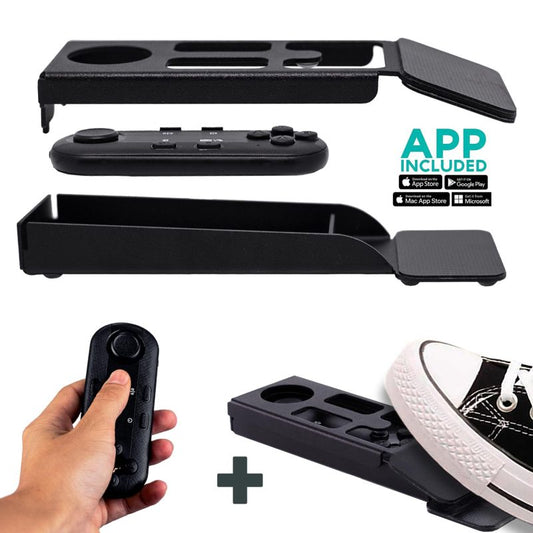
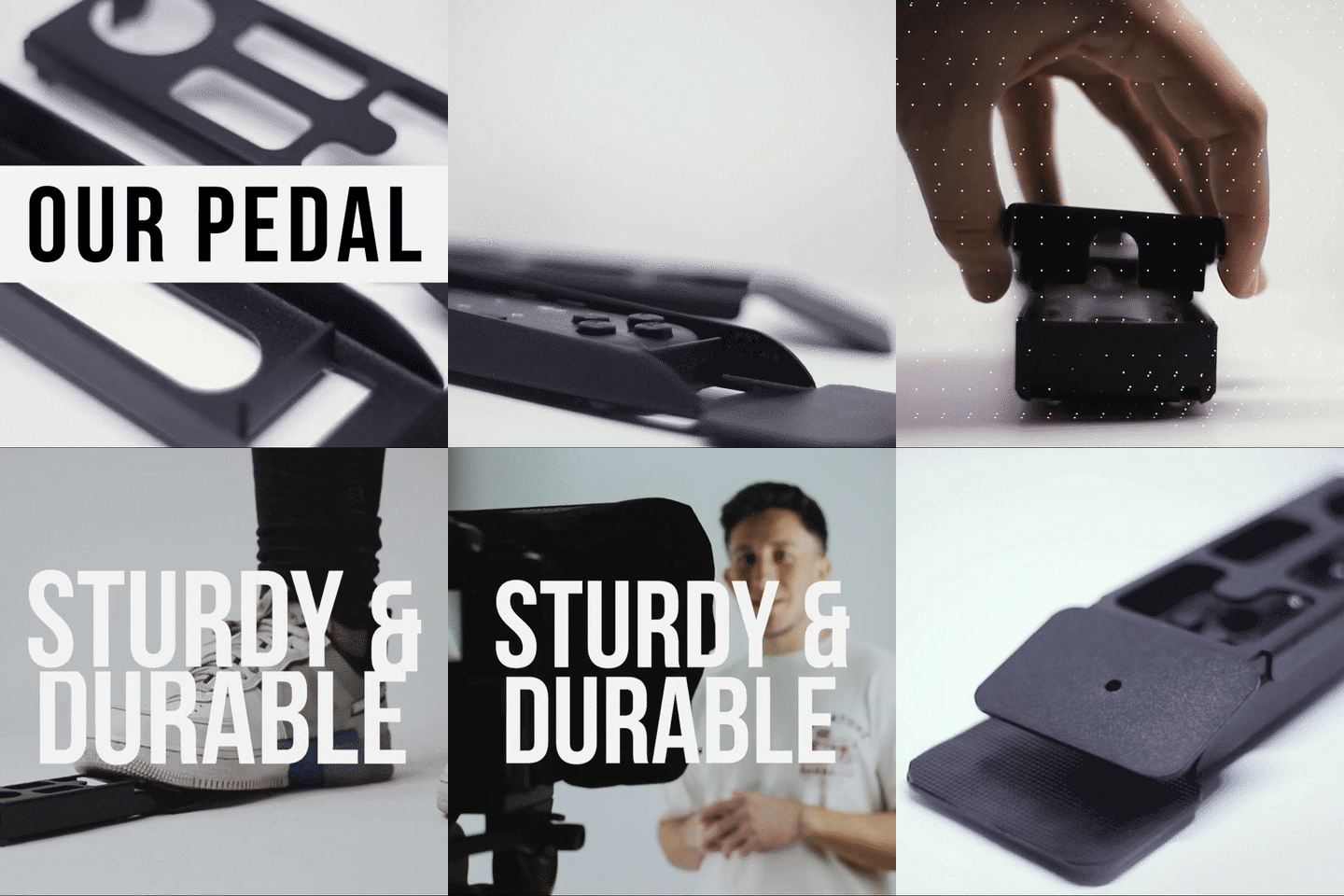
Pastors who use hand gestures a lot — and most good preachers do — often prefer the Wireless Kit (Pedal + Remote) at €54.90. The pedal case holds the Bluetooth remote and lets you control scrolling with your foot.
It uses a silent capacitive sensor — no click sound. Your microphone won't pick anything up. There's no tactile feedback, which feels weird the first couple of times, but most pastors I've spoken with say they've got muscle memory down after two or three services.


App tips for writing sermon scripts that sound natural
The TeleprompterPAD app is free on iOS, Android, Windows, and Mac. It supports rich text editing, script markers, adjustable speed, and font customization. But the app is only as good as what you put into it.
- Write like you talk. Read your script out loud before loading it. If any sentence feels stiff, rewrite it.
- Use bold for emphasis. The app supports bold, italic, and highlighting. Bold the words you want to stress vocally — it acts as a built-in inflection guide.
- Add markers for pauses. Drop a script marker where you plan to pause for effect or transition. The scroll will stop there automatically if you set it up that way.
- Narrow margins if you're close. If your setup puts you closer than 1.5 meters to the teleprompter, narrow the text margins in the app. This reduces visible eye scanning for your viewers.
- Import your script. Don't retype sermons. The app imports text files directly, saving you prep time every week.
If you get stuck, we offer personal 1-to-1 multilingual support in English, Spanish, French, German, and Italian. That's real humans, not chatbots. You can also browse the video tutorials at help.teleprompterpad.com.
Frequently asked questions
Can I use a teleprompter for live streaming church services on YouTube or Facebook?
Yes. The EyeMeeting Prompter works with any streaming software — OBS, Streamyard, Ecamm, Zoom, or native YouTube/Facebook Live. You connect it to your computer via HDMI, set up the TeleprompterPAD app on the second screen, and select your webcam or camera as the video source in your streaming software. The teleprompter is invisible to the stream.
Do I need a separate tablet for the EyeMeeting Prompter?
No. The EyeMeeting Prompter has a built-in 10.1-inch monitor. You connect it to your computer with an HDMI cable and it acts as a second display. No iPad or Android tablet required.
What if my church records with a DSLR, not a webcam?
Use the iLight PRO 12-inch (€159) or iLight PRO 14-inch (€239). These mount on a tripod with your camera behind the glass. They use your own tablet to display the script. The EyeMeeting Prompter is designed more for desk/webcam setups.
Will the glass affect my video quality?
No. The beam splitter glass is a 60/40 HD ratio — 60% of light passes through to the camera, 40% reflects the text. With minimum 24mm focal length, you won't see the glass edges. The anti-ghosting coating prevents double reflections that cheaper glass produces.
How do I control the teleprompter while preaching?
The included Bluetooth remote lets you play/pause, adjust speed, and jump forward or backward. For hands-free control, add the Wireless Kit (Pedal + Remote) at €54.90. The foot pedal uses a silent capacitive sensor — no click sound that your microphone could pick up.
Can multiple people use the teleprompter during a single service?
Yes. Load all the scripts or segments into the app in order. The operator or speaker can scroll through them sequentially. For multi-speaker setups, I recommend adding the inverted monitor accessory so a volunteer controls the script from a laptop while each speaker reads from the glass.
Is the TeleprompterPAD app really free?
Yes, fully free on iOS, Android, Windows, and Mac. There's also a web app version that works in any browser without installing anything. No subscriptions, no in-app purchases for core features.
What support do you offer if I have trouble setting up?
We provide personal 1-to-1 support in English, Spanish, French, German, and Italian. Not automated. Real people who've set up thousands of these. You can also access video tutorials at help.teleprompterpad.com.
Your next step
Online church viewership isn't going back down. If your congregation watches you on a screen every week, they deserve eye contact — not the top of your head as you read from a laptop. The EyeMeeting Prompter at €229 is the most straightforward way to get there for desk-based streaming. Set it up once, and every service after that starts with a single HDMI cable and a click.
Our best sellers
TELEPROMPTER PAD Bluetooth Remote Control for Teleprompter - Includes Teleprompter app for Apple, Android Windows & Mac - Wireless Controller for Beam Splitter Prompter or Live Streaming Equipment
- 34.90€
39.90€- 34.90€
- Unit price
- per
TELEPROMPTER PAD iLight PRO 12'' Teleprompter for iPad Tablet - Kit teleprompter for Video with Remote Control, APP & Carry Bag - Beam Splitter Prompter Autocue DSLR, iPhone, APP for Apple Android Mac Win
- 159.00€
199.00€- 159.00€
- Unit price
- per
TELEPROMPTER PAD Smartphone Adaptor for teleprompter – Record with any iPhone, Android phone, compatible with any teleprompter, aluminum universal Rig for prompter with camera plate, snug cloth fit
- 29.90€
39.90€- 29.90€
- Unit price
- per
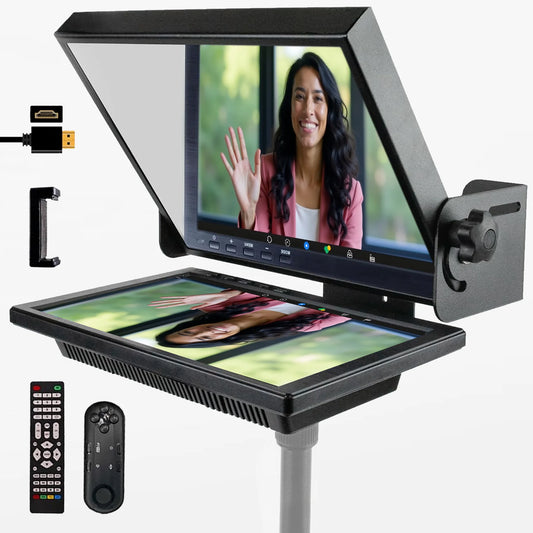
TELEPROMPTER PAD EyeMeeting Prompter for Twitch Streaming, Youtube, Zoom Eye Contact, for Mac/PC DSLR Webcam iPhone with Software, 10.1" Monitor & Remote, Compatible with Elgato Streamdeck, HDMI Input
- 229.00€
299.00€- 229.00€
- Unit price
- per